What makes Webyne HRMS different
Built by a data-centre company for companies that run like one: shifts round the clock, people in the office, at home and on site, and leadership that wants one clear picture every day.
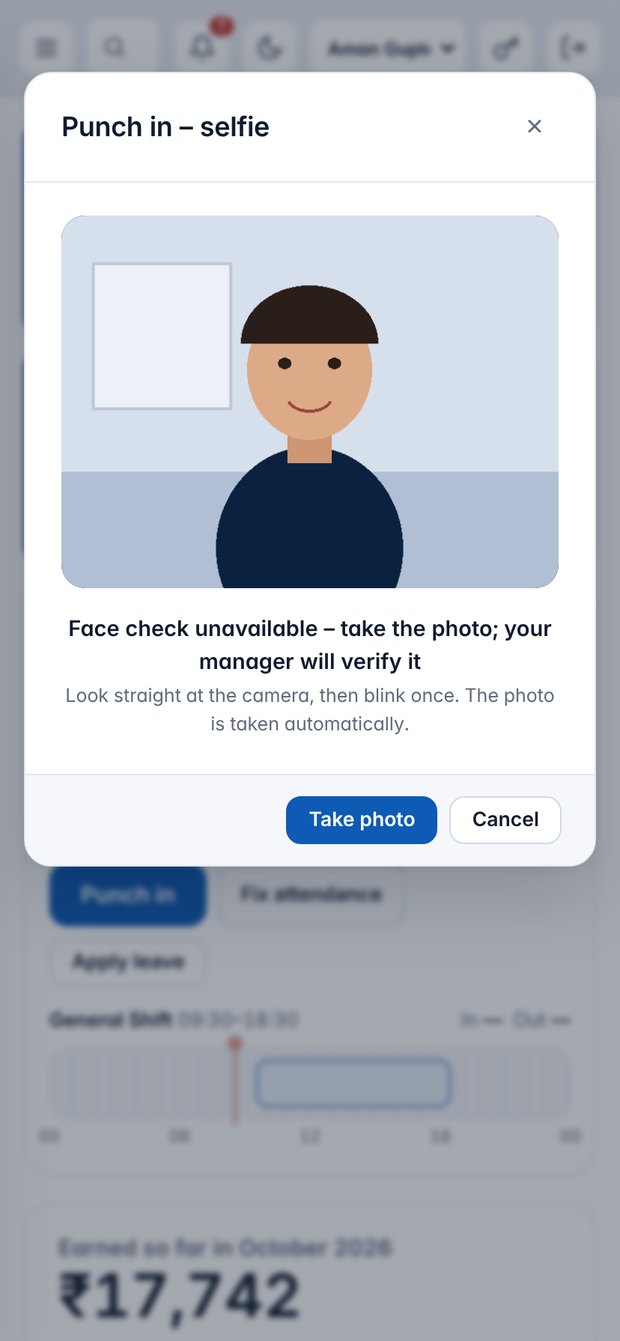
Selfie punch-in with face check
Every punch takes a selfie. A blink check stops photos of photos, and the face is matched to the one HR approved. If the check cannot run, the punch still saves and goes to the manager to verify.
Location decides the punch type
Inside the office radius it is an office punch, at the registered home it is work from home, anywhere else it is on duty with a reason and manager approval.
Biometric device sync
ZKTeco and eSSL machines push punches straight to the HRMS, alongside app punches. Devices can be limited by serial number.
Automatic Performance Score
A monthly score out of 100 from daily tasks, punctuality, daily reports, leave and task completion. Shown on every dashboard, ranked for managers, weights set by HR.
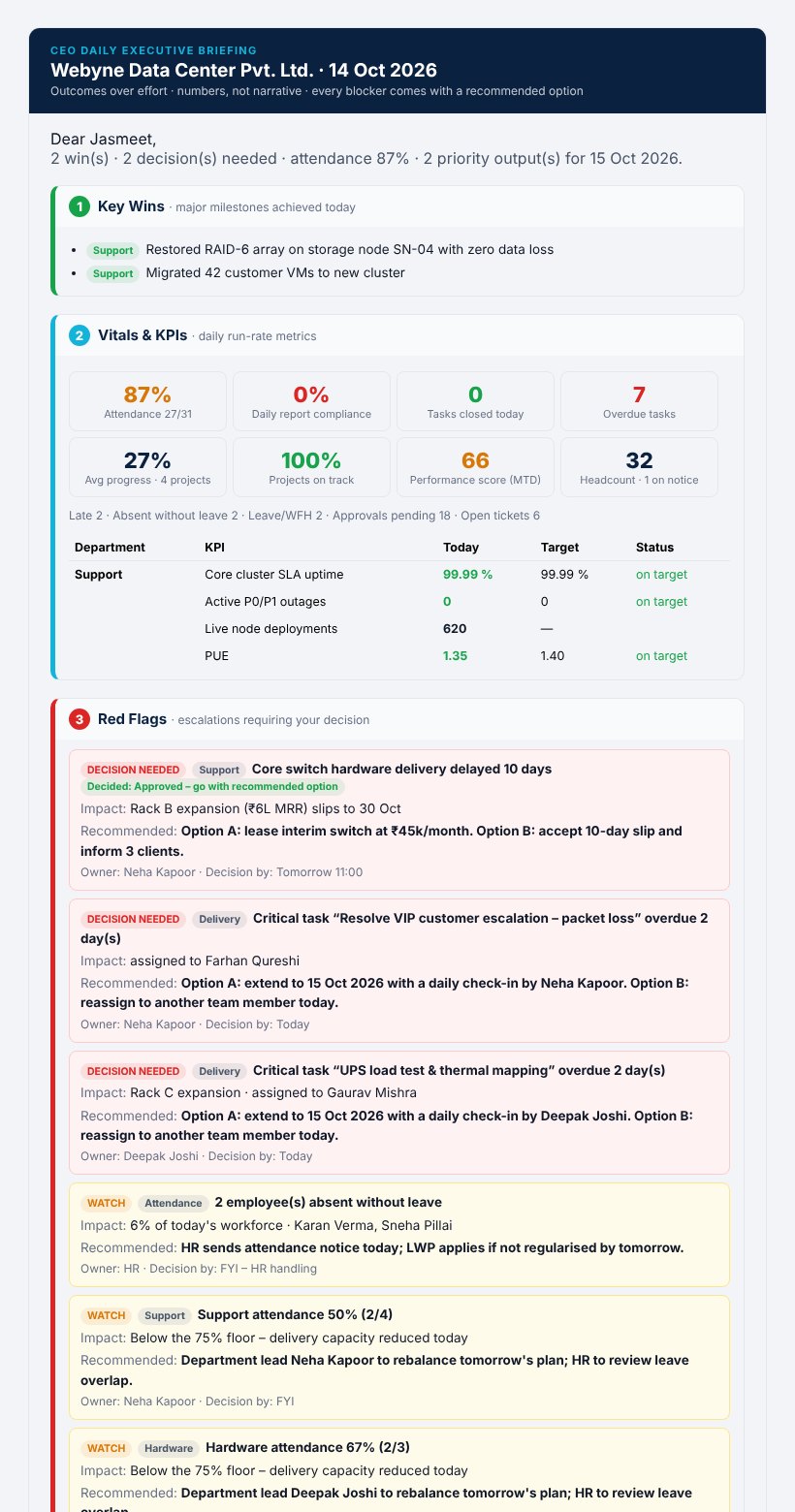
CEO Daily Executive Briefing
One email at 6:30 PM in four parts: Key Wins, Vitals & KPIs, Red Flags with a recommended option, and tomorrow's Next Priorities. Department leads add their numbers on the Daily Rollup page.
Automation engine
Rules for late marks, warning ladders, absence streaks, reminders and escalations run every few minutes and fill Today's HR Actions — so HR acts instead of chasing.
Payroll straight from attendance
Loss of pay, late penalties, PF, ESI, PT and TDS calculated from the month's punches and leave. Perks such as car and driver sit in the salary structure.
Recurring KRA tasks
Daily and weekly KRA work, imported from Excel, is created for each person automatically. Approved work counts towards their KPIs.
Daily work reports
Pre-filled from the day's tasks, submitted by 8 PM, verified by the manager. Missing reports trigger reminders on their own.
Access by role, department or person
HR ticks which sections each role sees, adds or removes them for a whole department or one employee. Data scope is enforced by the server.
Email control with one-click pause
Editable templates, a test inbox mode, and a Pause all emails switch that stops and clears the queue until HR resumes.
Excel in, Excel out
Import employees, tasks and bulk data from Excel or CSV. Every list exports to Excel, CSV or PDF.
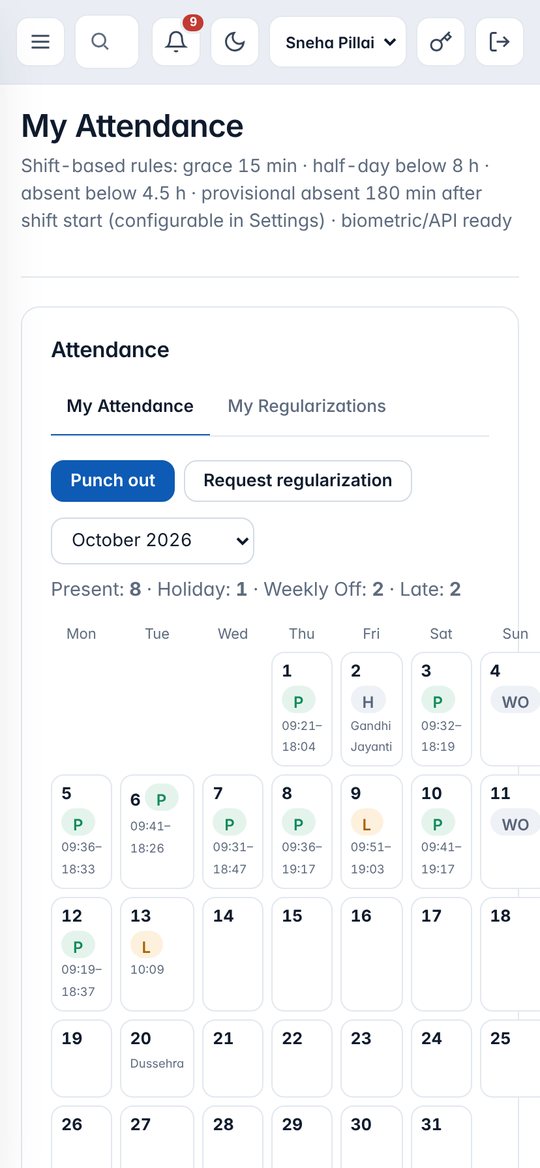
No proxy attendance, no paper registers
- Consent once, then selfie and location on every punch
- Photo kept with the punch for managers to review
- Forgot to punch? Request a regularization in two taps
- Attendance flows into salary automatically
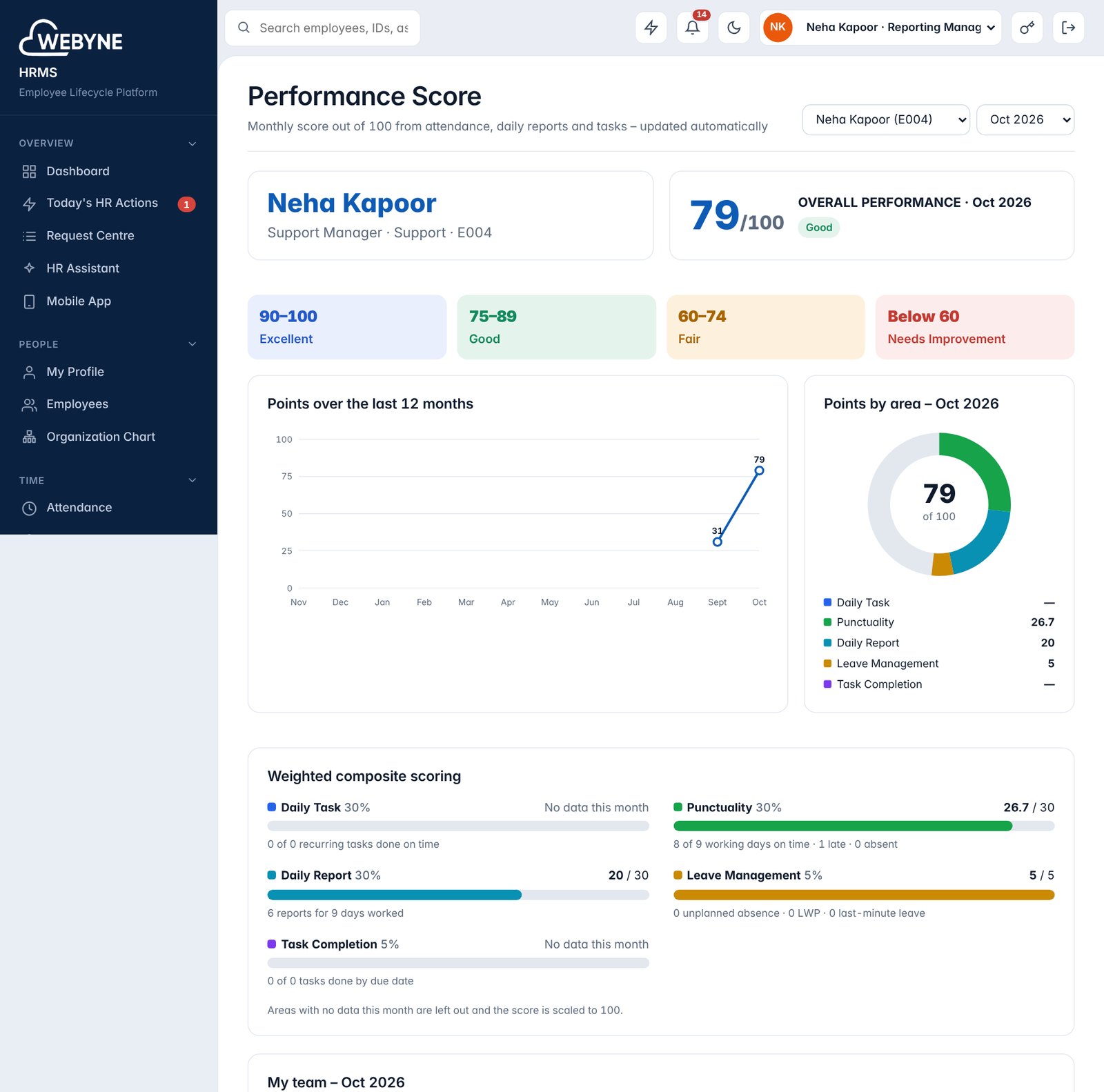
Everyone knows where they stand
The score updates as people work. Employees see their own, managers see their team ranked, and the trend over 12 months shows who is improving.
The CEO's day in one decision-ready email
Outcomes over effort, numbers instead of narrative, and every blocker arrives with options. Leads submit their rollup by 5:30 PM, the briefing goes out at 6:30 PM, and the CEO's decisions reach the leads by 8 PM.